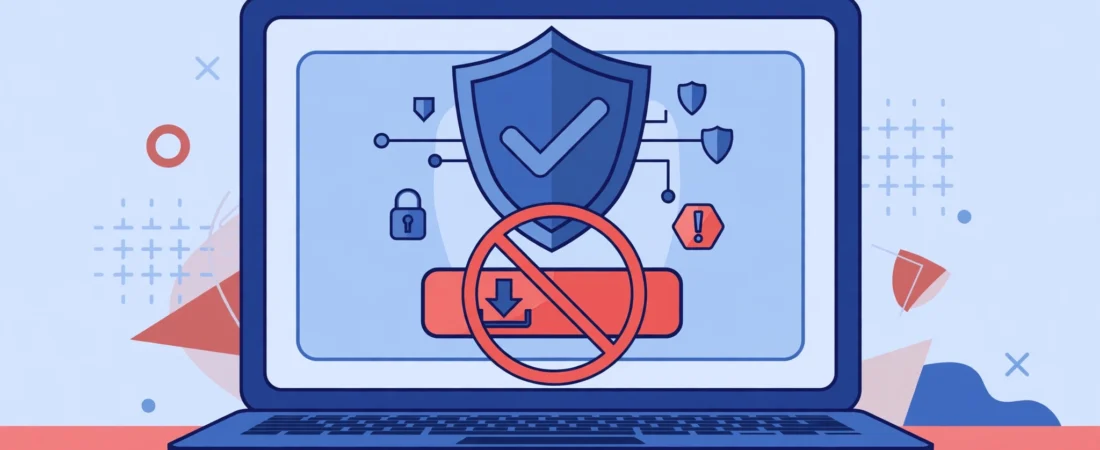
There is no safe way to download Shotscribus software for your computer, because Shotscribus has no official website, developer or legitimate download. Any “Shotscribus download” page is unofficial and its files should not be installed. This guide explains the risks — and how to safely download the real programs instead: Shotcut and Scribus, from their official websites.
Key Takeaways
- Shotscribus is not verified real software: there is no official download to give you, and this article links to none.
- Third-party “download Shotscribus” pages are unsafe by nature — some even tell readers to ignore their browser’s security warnings, which is dangerous advice you should never follow.
- Fake downloads can carry malware, steal personal data, hijack browser settings and waste your time on software that does not work.
- The real tools behind the name are Shotcut (video editing) and Scribus (desktop publishing) — both free, open source, and safely downloadable from shotcut.org and scribus.net.
- Before installing anything, verify the official domain, use the stable release, and scan the file — the checklist in this article shows how.
Table of Contents
- Why There Is No Shotscribus Download Link Here
- What Fake “Download Shotscribus” Pages Look Like
- Risks of Downloading Fake Software
- What You Probably Wanted: Shotcut or Scribus
- How to Download Shotcut Safely (Windows, Mac, Linux)
- How to Download Scribus Safely (Windows, Mac, Linux)
- How to Verify Any Software Download
- Already Downloaded Something Called Shotscribus? Do This
- Safe Download Checklist
- Frequently Asked Questions
- Conclusion and Next Steps
Why There Is No Shotscribus Download Link Here
If you searched “how to download Shotscribus software for computer”, you expected a download button. We are not giving you one, for a simple reason: a safe one does not exist. Our earlier investigation, Shotscribus: is it real software? The truth and safe alternatives, found no official developer, no official website, no version history and no legitimate download source. Independent write-ups of the name reach the same conclusion: because Shotscribus is not real, you will not find an official website with a legitimate download, verified developer information, or trusted reviews from reputable sources.
A responsible download guide cannot invent a link. The useful answer to this search is therefore twofold: do not download anything called Shotscribus, and here is exactly how to get the real software that does the job you wanted.
What Fake “Download Shotscribus” Pages Look Like
Fake download pages follow a recognisable pattern. Knowing it protects you on every software search, not just this one.
- They tell you to ignore warnings. Some pages instruct readers to dismiss their browser’s security warning as “overprotective”. A browser warning is your computer telling you the file is not trusted — never override it for software with no official source.
- They invent version numbers. Files named like “shotscribus-1.x.x.exe” with no version history behind them are a fabrication; real software publishes a changelog you can check.
- They have no developer identity. No company, no team page, no contact, no documentation — just a download button surrounded by ads.
- They ask for something first. An email address, a phone number or a payment “for activation” turns a free download into a data-harvesting or fraud attempt.
- They promise everything. Video editing, publishing, design and more, all in one mystery program — real tools are specific about what they do.
The same verification habit applies to every unfamiliar program, as explained in our guide to how software listing sites work: check the official source and what the tool verifiably does before trusting any download page.
Risks of Downloading Fake Software
Installing a file from an unofficial “Shotscribus download” page can harm your computer and your personal information in several ways.
- Malware and viruses: hidden programs that steal passwords or banking details, monitor activity, encrypt files for ransom, or corrupt system files.
- Data theft: fake activation forms that collect your email, phone number or payment details for identity theft or unauthorised charges.
- System hijacking: changed browser settings, redirected searches, constant pop-ups and unwanted programs running without your consent.
- Wasted time: even a harmless-looking file may simply not work, after hours spent installing and troubleshooting it.
These are not hypothetical risks for this name: they are the documented pattern for fake-software downloads generally, and they are why the only safe answer to “where do I download Shotscribus” is “nowhere”.
What You Probably Wanted: Shotcut or Scribus
The name Shotscribus blends two real, separate, free and open-source programs. Which one you want depends on the job:
- Video editing — Shotcut, from shotcut.org. A full video editor for cutting, effects, audio and export.
- Desktop publishing — Scribus, from scribus.net. Layout software for brochures, magazines, books and print-ready PDFs.
Both are free, both have public version histories and documentation, and both are downloaded from their own official websites — the exact properties Shotscribus lacks. If your goal was the environmental side of digital work, our article on whether Shotscribus can help the environment explains why the real tools are also the greener choice: digital workflows replace paper and physical media.
How to Download Shotcut Safely (Windows, Mac, Linux)
- Go to the official site yourself. Type shotcut.org into your browser — do not click a download link from a search-result page about Shotscribus.
- Open the download section. Choose the installer for your operating system: Windows, macOS or Linux.
- Prefer the stable release. Unless you have a specific reason to test new features, the stable version is the tested, recommended one.
- Save the installer and scan it. Let your antivirus scan the file before running it, and do not disable security warnings to install it.
- Install with the defaults. Accept the standard installation options; decline any bundled extras if the installer offers them.
- Open Shotcut and check it works. Import a short clip, make a small edit and export it — a quick test confirms a clean install before you commit a real project.
How to Download Scribus Safely (Windows, Mac, Linux)
- Go to the official site yourself. Type scribus.net into your browser and open its downloads section (the stable branch page).
- Choose your operating system. Scribus provides installers for Windows, macOS and Linux; the official page redirects Windows downloads through SourceForge, which is the normal, expected route for this project.
- Pick the stable branch. The stable release is the one recommended for everyday production work; development versions are for testing only.
- Watch out for ads on the download page. On mirror pages, click only the actual Scribus download — other buttons may be advertisements for unrelated programs.
- Scan before installing. As with any download, let your antivirus check the file, and install with the standard options.
- Test with a sample document. Create a one-page layout and export it as PDF to confirm the installation works before starting real work.
Both programs are also a reminder of a wider principle from our software automation guide: the safest workflows use verified tools from official sources, and automate the repetitive steps around them, rather than chasing mystery downloads.
How to Verify Any Software Download
Use these checks for every program you download, not just the ones in this article.
- Official domain only. The download must come from the developer’s own website or its stated official mirror. A similarly named domain is not the official one.
- Developer identity. A real project names its developers or organisation, publishes documentation and keeps a public version history.
- Stable release, named version. Real software has version numbers you can look up and a changelog describing what changed.
- Security warnings respected. If your browser or operating system warns about a file, stop. Warnings exist for exactly this situation.
- Scan before installing. Run your antivirus over the installer, and check the file size against the official page if anything looks off.
- No payment or personal data for a free tool. A free, open-source program never needs your card details or phone number to download.
Already Downloaded Something Called Shotscribus? Do This
If you already installed a file from a “Shotscribus download” page, act promptly — these are the same removal steps from our original investigation, summarised here.
- Uninstall it. Remove the program through your operating system’s normal uninstall route, and delete the installer file.
- Run a full antivirus scan. Use your installed security software, and consider a second-opinion scan from a reputable vendor if anything looks unusual.
- Check your browser. Restore your homepage and search settings, and remove any extensions you do not recognise.
- Change important passwords. If the program ran on your computer, change passwords for email and banking from a clean device, and enable two-factor authentication where available.
- Install the real tool instead. Get Shotcut or Scribus from the official sites above, for the job you originally wanted done.
Safe Download Checklist
- Official developer website confirmed — typed by hand, not clicked from a lookalike page
- Stable release selected, with a named version and changelog
- No browser or system security warning ignored or overridden
- File scanned by antivirus before installation
- No email, phone number or payment requested for a free download
- Installer offers no bundled extras, or all extras declined
- Quick test project completed successfully after installation
Related Reading on RankMint
- Shotscribus: is it real software? The truth and safe alternatives
- How can Shotscribus software help the environment? The honest answer
- Software automation: what it is, types, tools and how to start
- Software listing sites: what they are and what to expect
Frequently Asked Questions
How do I download Shotscribus software for my computer?
You should not download anything called Shotscribus, because no official, safe download exists. Shotscribus has no official website or developer, so every “download Shotscribus” page is unofficial and its files are unsafe to install. Download the real tools instead: Shotcut from shotcut.org for video editing, or Scribus from scribus.net for desktop publishing.
Where is the official Shotscribus website?
There is none that can be verified. Real software has an official site with a developer identity, documentation and version history; Shotscribus has none of these. Any site claiming to be the official Shotscribus site is not official, and its download should not be trusted.
Is it safe to download Shotscribus from a third-party site?
No. Third-party downloads of unverified software are a common malware route: files can steal data, hijack your browser, or simply not work. Pages that tell you to ignore your browser’s security warning are especially dangerous — that warning is there to protect you, and overriding it for an unofficial program is never worth it.
What is the best free alternative to Shotscribus for video editing?
Shotcut, from shotcut.org. It is free, open source, and available for Windows, macOS and Linux. Download it from the official site, choose the stable release for your operating system, scan the installer, and install with the standard options.
What is the best free alternative to Shotscribus for publishing and layout?
Scribus, from scribus.net. It is free, open-source desktop publishing software for layouts, brochures and books, with a stable branch recommended for everyday work. Its official downloads page is the only safe source; on mirror pages, click only the actual Scribus download and ignore advertisement buttons.
I already installed something called Shotscribus. What should I do?
Uninstall it, delete the installer, run a full antivirus scan, restore your browser settings and remove unknown extensions, and change important passwords from a clean device. Then install the real tool you wanted — Shotcut or Scribus — from its official website.
How can I tell whether any software download is safe?
Check six things: the official developer domain, a named developer or organisation, a stable release with a version history, no security warnings to override, a clean antivirus scan, and no payment or personal data requested for a free tool. If any check fails, do not install the file.
Conclusion and Next Steps
“How to download Shotscribus software for computer” has an answer its searchers may not expect, but it is the only honest one: there is no safe download, because there is no verified software behind the name. The safe path is not a different download page — it is a different program, downloaded from its own official site.
Your next step depends on the job: video editing, go to shotcut.org; publishing and layout, go to scribus.net. In both cases, choose the stable release, scan the installer, and run the quick test in this guide. That five-minute habit is what keeps every future download safe, not just this one.
Last updated: October 25, 2026. Written by the RankMint editorial team. This article links to no Shotscribus download; Shotcut and Scribus are free, open-source programs available from their official websites.